Blender 4 FBX(s) Batch Exporter and Scene Management system using Pivot objects for Static Meshes
LA_tools
Youtube: https://www.youtube.com/watch?v=PUTw_d8gm8M
For any issues or feature request, drop a PM, currently tested on blender 4.1. 4.0
Update v 1.0.3: Add new UI item: Create Pivot at group location and set to Z=0 - fix crashing on Ctrl + Z of new pivots
This new pivot point maker helps with with speed when needing to lay many new pivot points.
Update v 1.0.2: Added UI to expose all export settings for FBX(s)
Ideal for Environment Artist or artist working with Static meshes for game engines.
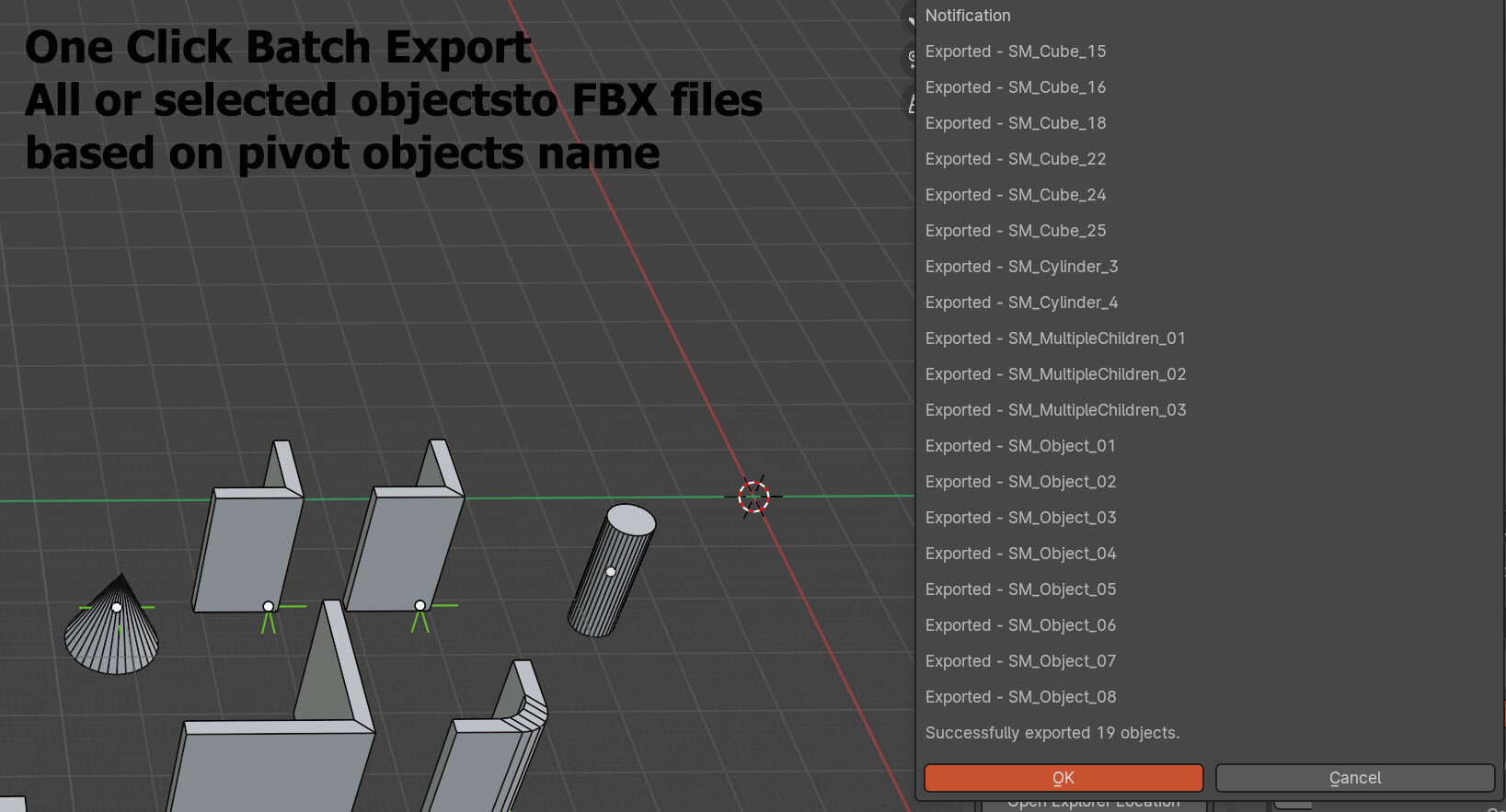
The Blender FBX Batch Exporter Add-on simplifies the process of exporting multiple Hierarchies of objects to individual FBX files from one Blender File for applications like Unreal Engine, Unity, Etc.
With this add-on, you can also efficiently Create and manage pivot points, sanitize object names, and batch export selected or all suitable objects with ease. as well as Batch alignment of all or select objects, batch collections creation, and robust pivot realignment.
All functions are well maintained for errors and user feedback functionality.
FBX names use the same name as the Hierarchy Root "Empty" aka pivot object.
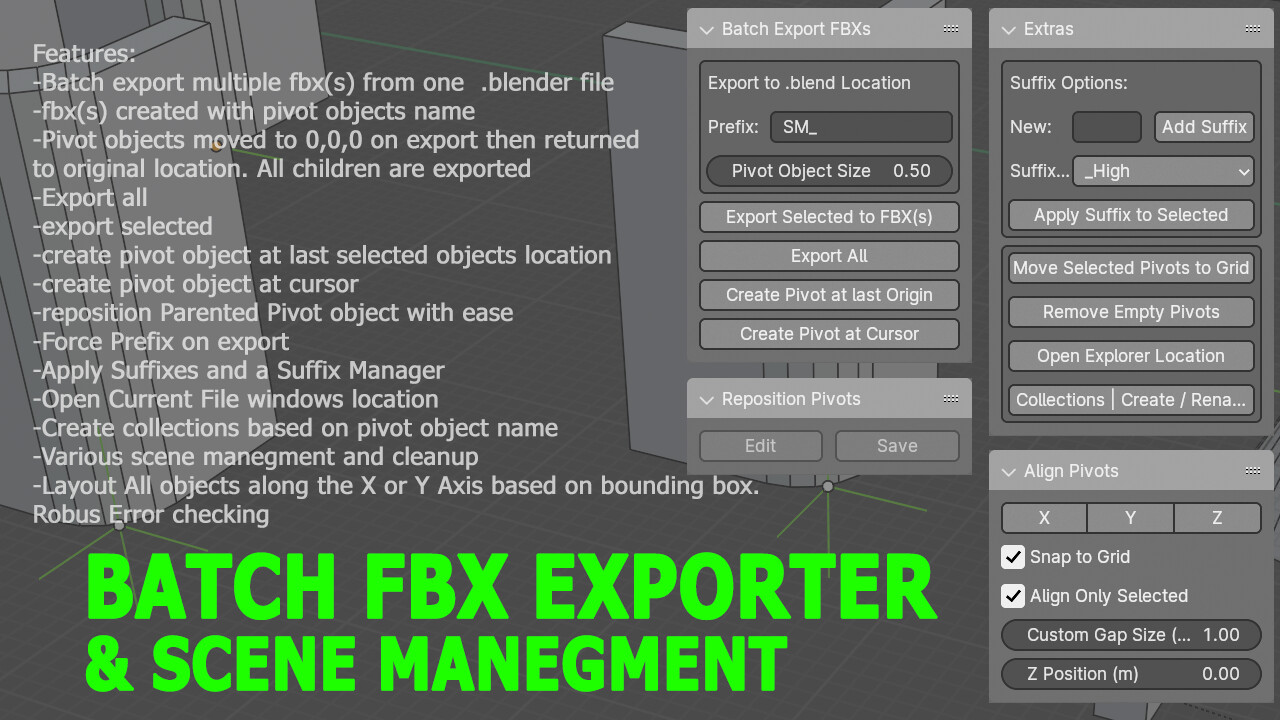
This Addon contains 4 main functions
Blender Batch FBX Exporter Add-on
Blender Object Alignment Add-on
Blender Pivot Repositioning Add-on
Blender Extras Add-on
Blender Batch FBX Exporter Add-on
Main Feature:
Each "Empty" in the scene is considered a new FBX file. The name of the Empty is used as the name of the FBX file.
All objects parented to the Empty are exported with the Empty acting as the 0,0,0 Pivot point.
Functionality:
Export Selected Objects: Export selected objects to FBX(s).
Export All Objects: Export all suitable objects to FBX(s).
Create Pivot at Origin: Create a pivot point at the origin of Last selected objects.
Create Pivot at Cursor: Create a pivot point at the 3D cursor position from selected objects.
Force Apply a prefix on all Exporting FBX(s)
Blender Object Alignment Add-on
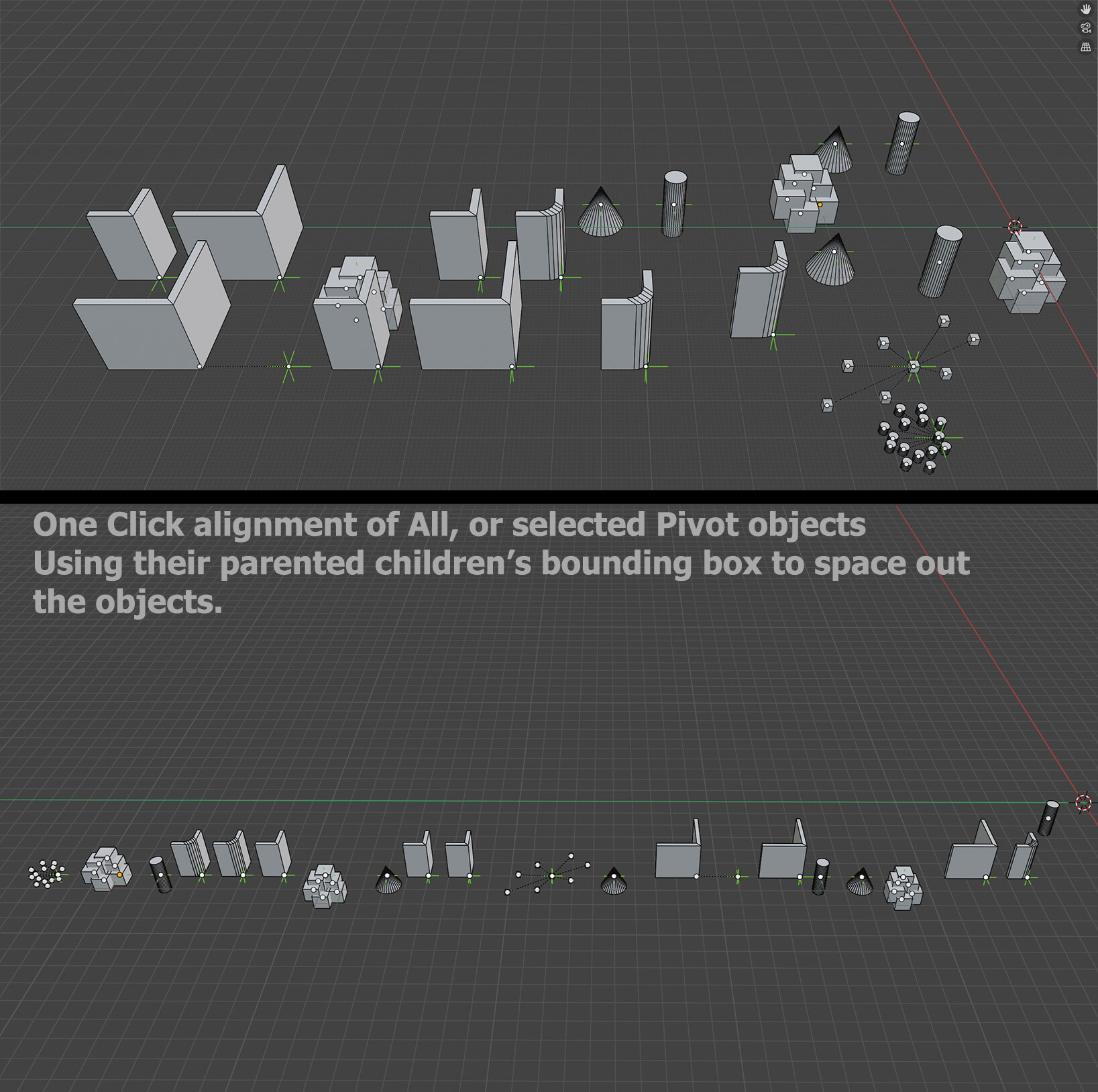
The Blender Pivot Alignment Add-on allows users to align 'EMPTY' along the X, Y, or Z axes. It provides options to ensure no overlap, snap to a grid, and set custom gaps between objects. This add-on is ideal for organizing objects in your scene efficiently.
Features
-
Pivot Alignment:
Align Along X or Y: Align all or selected 'EMPTY' objects along the X-axis.
Align Along Z: Align all or selected 'EMPTY' objects to a specific Z position.
Snap to Grid: Option to snap objects to the nearest grid points.
Custom Gap Size: Set a custom gap size between aligned objects.
Align Only Selected: Option to align only selected objects or all suitable objects in the scene.
User Notifications: Display messages for errors or confirmations within Blender.
Blender Pivot Repositioning Add-on
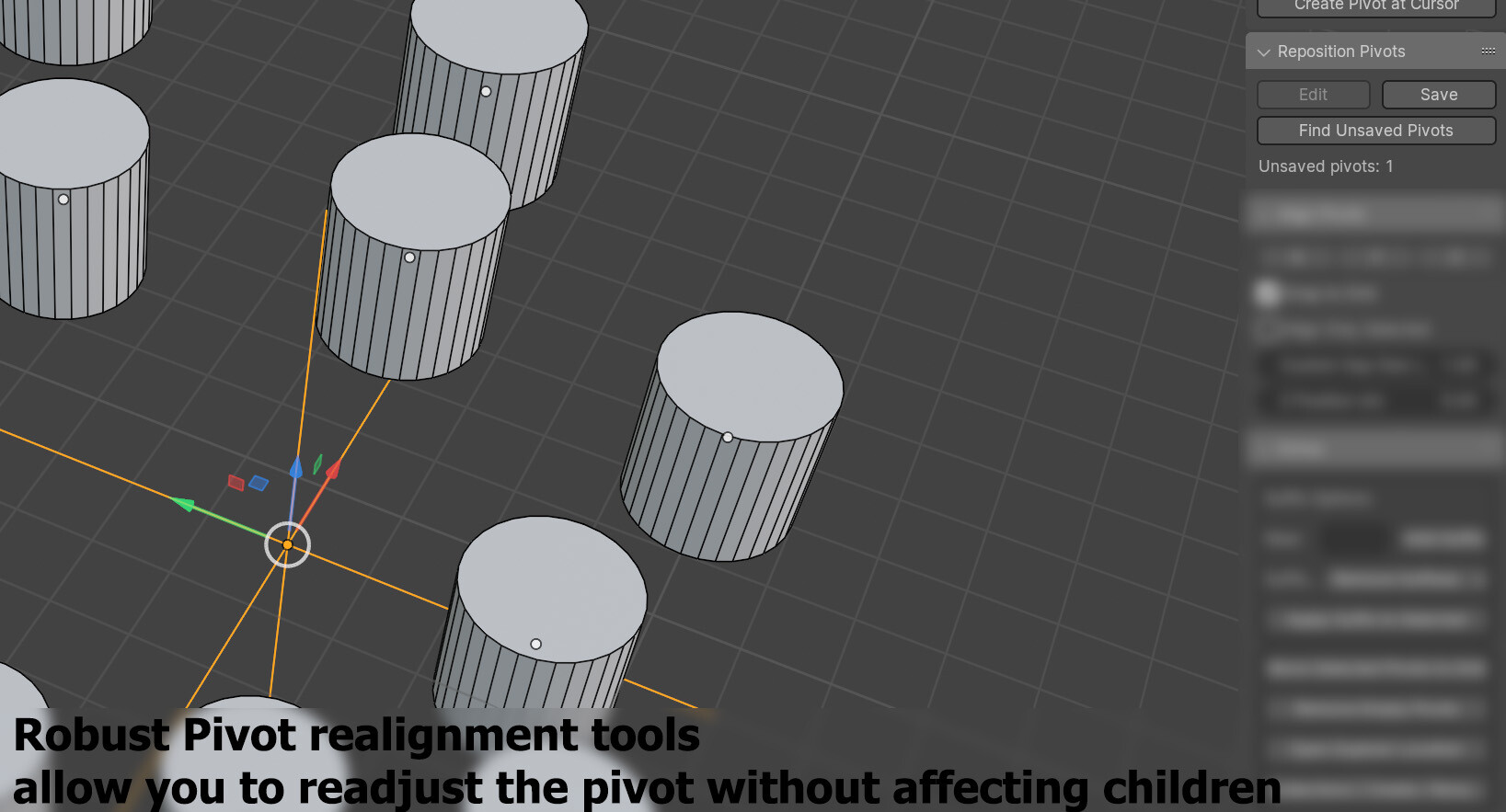
The Blender Pivot Repositioning Add-on simplifies the process of repositioning pivot points for 'EMPTY' objects. It allows you to unparent children, adjust pivots, and reparent children while maintaining their transformations. It also helps in finding and recreating deleted pivots.
Pivot repositioning and saving can be applied to multiple objects at once and retain the correct parenting information.
Features
Enable Pivot Repositioning: Temporarily unparent children while keeping transformations.
Save Pivot Repositioning: Reparent children back to the pivot using 'Keep Transformation'.
Recreate Deleted Pivots: Recreate deleted 'EMPTY' objects with unsaved pivots.
Find Unsaved Pivots: Select all 'EMPTY' objects with unsaved pivots.
Blender Extras Add-on
The Blender Extras Add-on provides various utility functions to streamline your workflow. It includes features for managing collections, renaming objects, snapping pivots to the grid, and cleaning up empty pivots. Additionally, it offers convenient tools to open the file location in Windows Explorer and display custom messages within Blender.
Features
Open File Location: Open the current Blender file's location in Windows Explorer.
Collection Management: Create collections from selected objects and rename them based on the top root "Empty".
Suffix Management: Apply suffixes to selected object names.
-
Pivot Management:
Snap selected pivots to grid points.
Clean up empty pivot objects.
Release Notes
Update v 1.0.3: Add new UI item: Create Pivot at group location and set to Z=0 - fix crashing on Ctrl + Z of new pivots
This new pivot point maker helps with with speed when needing to lay many new pivot points.
Update v 1.0.2: Added UI to expose all export settings for FBX(s)